
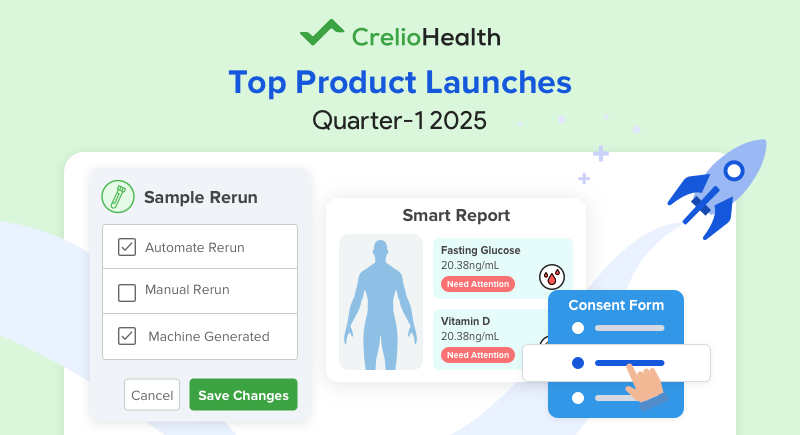
CrelioHealth dedicated the first quarter of 2025 to releasing esteemed LIMS feature updates. These updates target seamless order management and sample efficiency. They also focus on smooth reporting, hassle-free claim management, and decluttered finance and business management.
Let’s glance through the top product updates launched by CrelioHealth last quarter. We will learn about the unique benefits and essential functionalities in brief.
1. Order Management Updates in CrelioHealth LIMS
CrelioHealth has developed some of the most crucial product updates for order management to make the process smarter and hassle-free.
I. Smarter Test Pick List for Faster Registrations
Importance of the Feature
The Test Pick List Configuration feature in Registration Settings is designed to streamline and speed up the test selection process. This feature does not use a traditional drop-down search. Instead, it introduces an intuitive block-based interface. This interface makes it easier and faster for users to select tests during registration.
Key Takeaways & Benefits
- Perfect for High-Volume Orders: Labs processing frequent test orders can benefit from a faster, more structured selection process.
- Enhanced Speed & Efficiency: Reduces registration time by offering a pre-configured selection of commonly ordered tests.
- Improved User Experience: The visually engaging, block-based UI simplifies selection, minimizing clicks and confusion.
Real-World Application:
A busy lab that frequently processes routine health checkups can pre-configure a pick list for commonly ordered tests. During registration, staff can switch to the pick list tab. They can select the predefined tests without searching through an extensive catalog. This process saves time and ensures accuracy. These features make it a valuable tool for labs focused on efficiency in high-demand scenarios.
Watch the Demo: Demo Video
Learn More: Help Article
This version presents the update in a structured manner. It is engaging, making it easier for users to grasp its importance. They can also understand the practical benefits of the feature. Let me know if you’d like any further refinements!
II. Consolidated Patient Overview for Easy Report Access
Importance of the Feature
Managing patient reports, history, and trends used to be time-consuming, requiring users to switch between multiple pages. This not only wasted valuable time but also increased the risk of missing crucial details.
The Consolidated Patient Overview eliminates this hassle by providing a single-screen view of all patient-related details. Now, lab professionals can quickly access reports, track patient history, and manage diagnostics – all in one place.
Key Takeaways & Benefits
- Reduces Time & Effort: No more switching between multiple tabs to review reports.
Enhances Accuracy: Minimizes the chances of missing important test results.
Improves Workflow Efficiency: Enables technicians and pathologists to take quick action without unnecessary delays.
Real-World Application:
For example, if a technician needs to review a patient’s pending reports, they have several options.
🔹 Open the Overview Tab and instantly see all reports.
🔹 Identify which reports need attention.
🔹 Edit incomplete reports, sign finalized ones, and submit all approved reports in one go.
The Result: Less effort, fewer errors, and a seamless workflow for your lab team.
Experience the difference today!
Watch the Demo: Demo Video
Learn More: Feature Overview
III. Ready-to-Use Lab Form Templates for Quick Setup

Importance of the Feature
Creating lab forms from scratch can be time-consuming and tedious, delaying onboarding and setup processes. We’ve introduced pre-made templates for Consent, AOE, and Additional Patient Info. This allows labs to configure forms in minutes.
Key Takeaways & Benefits
- Speeds Up Onboarding: Reduces the time spent on setting up new forms.
- Enhances Efficiency: Eliminates manual form creation, freeing up valuable staff time.
- Ensures Accuracy: Standardized templates minimize errors and maintain consistency.
What’s New?
🔹 Template-Based Form Creation: Select from a variety of pre-configured templates tailored for different lab needs.
🔹 Comprehensive Template Library: Access a range of templates covering Consent, AOE, and Additional Patient Info.
🔹 Significant Time Savings: Set up forms in a fraction of the time, improving overall lab efficiency.
Try ready-to-use lab forms today and experience a faster, smoother form creation process!
IV. NPI Lookup for Faster Doctor & Organization Onboarding
Importance of the Feature
Manually entering details for signing doctors, referral doctors, and organizations can be time-consuming and prone to errors. To streamline this process, we’ve introduced NPI-based auto-fill, which instantly fetches accurate details by simply entering the NPI number.
Key Takeaways & Benefits
✅ Saves Time: Eliminates the need for manual data entry—just enter the NPI number.
✅ Reduces Errors: Auto-filled details ensure accuracy, minimizing typos and discrepancies.
✅ Improves Efficiency: Simplifies onboarding for doctors and organizations, allowing for quicker operations.
What’s New?
🔹 For Referral Doctors: Enter the NPI number, and the system auto-fills their details.
🔹 For Signing Doctors: Enter the NPI number to instantly fetch their name, address, and specialty.
🔹 For Organizations: Enter the NPI number to automatically populate organization details, including name and address.
Real-World Application:
🔹 Onboarding a New Doctor in a Hospital Network – Admins no longer need to enter details manually. They can enter the NPI number instead. The system will instantly populate the doctor’s name, specialty, and address. This saves time and reduces errors.
🔹 Adding a New Partner Clinic to a Diagnostic Lab – When a clinic wants to send patient samples right away, the lab can input the clinic’s NPI number. This action allows the immediate retrieval of the clinic’s details. This process eliminates delays and paperwork.
Try NPI Lookup LIMS update today and experience seamless onboarding! Learn More: Help Article
2. Sample Management Enhancements in CrelioHealth
The most crucial CrelioHealth update this quarter involves the introduction of Sample Rerun Types: Manual, Auto, and Machine-Triggered
I. Manual Sample Rerun for On-Demand Verification
Importance of the Feature
Sometimes, lab professionals notice unexpected results that warrant a rerun. Instead of manually re-entering the sample into the workflow labs can use Manual Sample Rerun. It allows users to initiate reruns directly from the report entry page, making the process quicker and more efficient.
Key Takeaways & Benefits
✔ Selective Reruns – Users can rerun only specific parameters, preventing unnecessary reprocessing.
✔ Configurable in Advance – Labs can predefine which parameters frequently require reruns, optimizing workflow.
✔ Minimized Delays – Reduces back-and-forth, ensuring faster test validation.
How It Works
Step1️⃣: Enable manual rerun for selected test parameters.
Step2️⃣: Initiate rerun from the report page for partially completed, completed, or signed reports.
Step3️⃣: The sample moves to the interfacing waiting list for reprocessing.
Step4️⃣: Confirm the new values once the machine returns updated results.
Step5️⃣: Finalize and approve the report with verified values.
Use Case
A technician notices a critically high potassium level (7.2 mmol/L), which might be due to sample hemolysis. To verify, they manually rerun the test, obtaining a corrected value of 4.5 mmol/L, preventing unnecessary alarm and incorrect treatment.
Learn How The Feature Works: Watch Demo Video
II. Auto Rerun for Critical Parameter Accuracy
Importance of the Feature
High sample loads make it easy to overlook critical results that require rechecking. Auto Rerun ensures that if a test result crosses predefined thresholds, a rerun is triggered automatically. As a result, reducing human error and ensuring accurate reporting is achieved.
Key Takeaways & Benefits
✔ Automatic Reprocessing – No manual intervention needed for triggering reruns.
✔ Predefined Ranges – Users can set rerun conditions (e.g., critical range, out-of-normal range).
✔ Effortless Verification – The system automatically queues the rerun; lab staff just need to confirm the new values.
How It Works
Step1️⃣: Enable Auto Rerun for a test parameter in the Profile & Report Management settings.
Step2️⃣: Define rerun conditions (e.g., Out of Normal Range, Critical Range, or Custom Range).
Step3️⃣: If a sample’s result exceeds the set range, it is automatically moved to the Device Waiting List for retesting.
Step4️⃣: Verify and confirm the new values after reprocessing.
Use Case
A HbA1c test for a diabetic patient shows >10%, which requires verification. Auto Rerun automatically reprocesses such results, ensuring they are double-checked before being finalized, reducing manual workload.
To Learn More:
Watch Demo Video
Read Help Article
III. Machine-Triggered Rerun for Reliable Results
Importance of the Feature
Some instruments automatically reprocess suspicious values before sending results. Machine-triggered rerun ensures labs can review and verify such values before approval, enhancing result reliability.
Key Takeaways & Benefits
✔ Automated Quality Control – Machines detect abnormal values and reprocess samples without manual intervention.
✔ Minimizes Reporting Errors – Ensures that labs validate machine-detected rerun values before releasing results.
✔ Enhanced Confidence in Critical Results – Reduces the risk of false alarms or inaccurate reporting.
How It Works
Step1️⃣: Enable the setting by adding “machine_triggered_rerun”: true in the device configuration.
Step2️⃣: The machine automatically detects outlier values and reprocesses the sample.
Step3️⃣: The system flags the rerun result for lab staff to review and confirm.
Step4️⃣: Once validated, the new value replaces the old result in the report.
Use Case
A thyroid panel test initially shows a TSH value of 25 µIU/mL, which seems abnormally high. The machine automatically reruns the test, returning a corrected TSH value of 2.5 µIU/mL. The lab verifies and confirms the accurate result, avoiding unnecessary patient distress.
Know How the Feature Works: Watch Demo Video
Why Does The Sample Rerun Update Matter?
In laboratory testing, ensuring accuracy and reliability is critical. Sometimes, results may require a second check due to inconsistencies, critical values, or machine-detected issues. To streamline this, we offer three types of Sample Rerun functionalities—each tailored to different needs:
- Manual Sample Rerun – Ideal for on-demand verification of specific test parameters.
- Auto Rerun – Best for automated retesting of critical values based on predefined conditions.
- Machine-Triggered Rerun – Ensures automatic re-validation when instruments detect suspicious results.
Choosing the Right Sample Rerun for Your Lab
| Feature | Manual Sample Rerun | Auto Rerun | Machine-Triggered Rerun |
| Trigger Type | Manually initiated by lab staff | Based on predefined test thresholds | Automatically detected by instruments |
| Best For | Rerunning specific test parameters on demand | Ensuring critical or abnormal values are rechecked | Validating machine-flagged suspicious results |
| User Involvement | The technician decides when to rerun | Automatic rerun; user only confirms values | Machine initiates; user verifies before final approval |
| Efficiency Gain | Speeds up selective test reruns | Eliminates manual tracking of critical results | Reduces the risk of inaccurate reporting |
| Error Prevention | Ensures manual oversight for specific cases | Prevents overlooked critical results | Prevents accidental approvals of erroneous values |
🔹 For full control: Use Manual Sample Rerun to selectively reprocess tests.
🔹 For automation: Set up Auto Rerun to rerun critical tests without manual intervention.
🔹 For machine-driven revalidation: Machine-Triggered Rerun ensures that outlier values are verified before reporting.
By integrating all three rerun types, labs can significantly enhance accuracy, efficiency, and patient safety while reducing unnecessary workload. Try them out today to optimize your lab’s quality assurance processes!
3. Report Management Improvements
Focus on reducing report management hassles! Use these top CrelioHealth updates for efficient report management.
I.Instant AI-Powered Report Configuration
Configuring lab reports manually can be time-consuming and error-prone. Now, with Instant Report Configuration, you can simply upload a sample test report PDF. Our AI will automatically configure the test parameters. This process saves you valuable time and effort.
Importance of the Feature
a. Eliminates Manual Setup
Traditionally, labs spend hours manually defining test parameters like RBC, WBC, hemoglobin, and their reference ranges. This process is not only tedious but also prone to human errors.
b. AI-Powered Efficiency
With Instant Report Configuration, labs can skip manual data entry and let AI handle test configuration instantly. This allows lab professionals to focus on delivering high-quality patient care rather than struggling with setup complexities.
Key Takeaways & Benefits
✔ Saves Time – Reduce hours spent manually configuring reports.
✔ Minimizes Errors – AI-driven automation eliminates human mistakes.
✔ Effortless Setup – Simply upload, configure, and generate reports seamlessly.
AI Automatically Detects & Configures:
✔ Test Name
✔ Reference Ranges (Including Age-Specific Ranges)
✔ List Fields (e.g., Positive/Negative Results)
✔ Descriptive Text & Heading Parameters
By leveraging AI-powered report configuration, labs can streamline their workflow, improve accuracy, and focus on what truly matters. This helps in delivering precise and timely diagnostic results to patients.
II. Smart Reports with Visuals & Health Scores
Patient reports should be more than just data – they should be clear, engaging, and easy to understand. With Smart Reports, labs can create insightful, visually appealing reports. These reports are vital to provide health scores, recommendations, and interactive elements for better patient communication.
Importance of the Feature
a. Simplified Complex Medical Data
Traditional lab reports can be overwhelming and difficult to interpret. Smart Reports use visuals, health scores, and personalized recommendations to make test results more comprehensible for patients.
b. Enhanced Patient Engagement
CrelioHealth Smart Reports are effortlessly customizable. They allow labs to add promotional content, service highlights, and social media links to keep patients informed and engaged.
c. Improved Accessibility
With multi-language support, labs can generate reports in different languages, ensuring that every patient understands their health information clearly.
Key Takeaways & Benefits
✔ Effortless Template Selection – Choose from a range of pre-designed templates with visuals and health scores.
✔ Full Customization – Add text, images, graphs, and recommendations for a more personalized experience.
✔ Patient Engagement Tools – Include promotions, additional services, and social media links within reports.
✔ Multi-Language Support – Generate reports in different languages for broader accessibility.
Get Started Today!
Browse our Smart Report Templates and start creating simpler, clearer, and more engaging patient reports. [BROWSE TEMPLATES HERE]
III. WhatsApp Report Sharing for Referrals & Organizations
Timely and efficient report sharing is crucial for organizations and referral doctors who need to relay patient information quickly. Our new Report Ready Communication via WhatsApp ensures that patient reports are delivered instantly. The reports are sent via WhatsApp as soon as they are ready. This CrelioHealth product update eliminates report delivery delays and enhances diagnostic collaboration.

Importance of the Feature
a. Instant Report Sharing
Instead of waiting for emails or manual downloads, organizations and referrals receive reports instantly via WhatsApp, improving workflow efficiency.
b. Comprehensive & Clear Reporting
Each message includes essential patient and report details along with a PDF attachment. This ensures that organizations and referrals can review reports quickly and make informed decisions.
c. Enhanced Communication via WhatsApp
WhatsApp is a widely used platform for fast and reliable communication. It is an ideal choice for delivering reports in real time to organizations and referral doctors.
Key Takeaways & Benefits
✔ Automated Report Delivery – No need for manual sharing; reports are sent instantly as soon as they are ready.
✔ Efficient Patient Care – Faster access to reports enables quicker decision-making by referral doctors and partner organizations.
✔ Convenient & Widely Used Platform – WhatsApp ensures smooth communication without additional tools or logins.
Need More Help? [Click Here for the Help Article]
IV. Shared Provider-Wise Reports for Clear Distribution
Managing patient reports when multiple providers are involved can be complex. Our Shared Provider-Wise Reports feature ensures that each provider receives only the test results relevant to them. Using this feature eliminates confusion and improves efficiency in report sharing.
Importance of the Feature
a. Organization & Provider-Specific Reports
Instead of sending one combined report, each provider now gets a separate section with only the tests assigned to them. This brings forth more clarity and reduces miscommunication.
b. Improved Workflow & Sharing
With provider-specific report distribution, labs can seamlessly share the correct results with each referring provider, avoiding unnecessary back-and-forth communication.
c. Enhanced Patient Management
By delivering only relevant test results to each provider, patient care is streamlined, allowing for quicker diagnosis and treatment planning.
Key Takeaways & Benefits
✔ Automatic Report Segmentation – Each provider receives only their assigned tests, improving accuracy and organization.
✔ Better Coordination Between Providers – Ensures that primary and specialist doctors receive only the information they need, reducing confusion.
✔ Smoother Lab Operations – No need for manual splitting or reassigning reports—everything is handled automatically.
Result: Each doctor receives only the relevant test results, ensuring seamless communication and decision-making.
Need More Help? Check Out the Guide Here
4. Insurance Management Features
Insurance management is another key feature highlighted and introduced in the CrelioHealth product updates for quarter I 2025.
I. Bulk TRF & Order PDF Download for Faster Claims
Submitting insurance claims just got quicker and easier! You no longer need to download TRF and Order PDFs one by one. This CrelioHealth product update allows you can now bulk download them directly from the Insurance Export screen. This saves time and streamlines your workflow.
Importance of the Feature
a. Eliminates Manual Downloads
Previously, users had to download each TRF separately, which was time-consuming and slowed down insurance claim submissions.
b. Faster Insurance Processing
With bulk download capabilities, labs can prepare insurance documents in a few clicks, reducing turnaround time (TAT) and improving efficiency.
c. Seamless Workflow for Large Claims
For labs processing high volumes of insurance claims, this feature helps reduce administrative workload and ensures faster reimbursement processing.
Key Takeaways & Benefits
✔ Bulk Selection – Choose up to 100 TRF and Orders at once for download.
✔ Time-Saving – Avoid repetitive clicks and speed up insurance submissions.
✔ Direct Access – Download TRF & Order PDF directly from the Insurance Export screen in a ZIP file.
Result: Faster claims, reduced effort, and improved workflow efficiency for insurance-related processes.
See it in Action: https://youtu.be/QGFPABFls_I
II. Insurance Eligibility & Benefits Verification at Ordering
This CrelioHealth update allows labs to verify insurance details and capture benefits instantly at the time of ordering. So, you ensure accuracy, reduce claim errors, and streamline billing workflows at ordering.
Importance of the Feature
a. Eliminates Back-and-Forth Communication
Labs no longer need to manually confirm insurance eligibility and benefits with doctors’ offices or patients. Everything is checked upfront within the LIMS.
b. Enhances Accuracy & Reduces Claim Errors
Incorrect or outdated insurance details can lead to billing delays and claim rejections. This feature ensures all data is verified before processing a bill.
c. Streamlined Workflow for Faster Processing
By capturing benefits like coverage, copay, deductible, and coinsurance in real-time, labs can avoid pricing miscalculations and submit error-free claims.
Key Takeaways & Benefits
✔ Instant Verification – Check patient and insurance eligibility before proceeding with billing.
✔ Real-Time Updates – Make corrections on the spot or proceed with the existing details.
✔ Capture Benefits Information – Record coverage details, copay, deductible, and coinsurance for accurate pricing.
✔ Minimize Claim Errors – Ensure the correct details are stored from the outset, reducing rework and delays.
Result: Faster billing, fewer errors, and a smoother experience for labs and patients alike!
III. Capture & Manage Pre-Authorizations in LIMS
The CrelioHealth LIMS update enables labs to store and manage pre-authorization details within the LIMS. So, manual tracking is eliminated, which ensures services are covered before performing tests.
Importance of the Feature
a. Eliminate Manual Tracking & Communication Delays
Labs no longer need to manually track pre-authorization numbers or approved amounts. They no longer need to repeatedly follow up with insurance providers and patients.
b. Reduce Billing Delays & Claim Rejections
By verifying pre-authorization before processing tests, labs can avoid denied claims, ensuring faster payments and financial clarity.
c. Streamline Insurance Workflows
Pre-authorization details are directly recorded in the LIMS, reducing administrative workload and enhancing operational efficiency.
Key Takeaways & Benefits
✔ Capture Pre-Authorization Details – Store pre-authorization numbers, approved amounts, and validity dates for quick reference.
✔ Prevent Claim Rejections – Ensure services are approved before submission, reducing revenue loss.
✔ Reduce Billing Delays – Minimize denials by verifying pre-authorization before performing tests.
✔ Streamline Insurance Processes – Automate tracking, eliminating manual errors and administrative burdens.
Result: Faster approvals, fewer claim rejections, and a more efficient insurance workflow for labs!
5. Finance, Billing & B2B Management
CrelioHealth also introduced critical business product updates to ease complex processes in finance, billing, and B2B management for medical labs.
I. Automated Card Fetching via Square & Stripe
This update in CrelioHealth LIMS is designed for labs to retrieve card details from their Square and Stripe accounts. This enables making recurring payments seamless for both B2B clients and direct patient billing. This automation eliminates manual card entry, reducing errors and saving time.
Importance of the Feature
a. Streamlined Payment Workflows
Fetching saved card details directly from Square and Stripe ensures quick, error-free transactions for B2B clients and patients. It also reduces payment delays.
b. Reduced Manual Effort & Errors
Manually entering card details for each transaction is time-consuming and prone to errors. Automating this process eliminates redundant tasks and ensures payment accuracy.
c. Improved Cash Flow & Recurring Billing
With stored card details, labs can easily process B2B invoice payments, patient billing, and advance payments. This ensures a steady cash flow without disruptions.
Key Takeaways & Benefits
✔ Automated Card Fetching – Retrieve card details securely from Square & Stripe without manual entry.
✔ Faster Payments – Speed up B2B invoice payments, advance payments, and patient billing.
✔ Error-Free Transactions – Reduce manual entry mistakes and payment failures.
✔ Improved Efficiency – Save time by eliminating repetitive payment tasks, allowing labs to focus on core operations.
Result: Smoother financial operations, faster payments, and hassle-free recurring billing for labs!
II. Financial Report Access for Registration Staff
Front desk management just got easier! Registration staff can now access their own billing and collection reports without requiring full finance permissions. This CrelioHealth update enhances transparency, accuracy, and financial tracking while maintaining data security.
Importance of the Feature
a. Improved Financial Oversight for Registration Staff
This CrelioHealth LIS update allows registration teams controlled access to financial reports. Allow them to track daily collections, reconcile payments, and maintain financial accuracy without needing full finance department permissions.
b. Reduced Dependence on Finance Teams
Staff can now audit their own collections, reducing reliance on finance teams while ensuring secure, role-based access to financial data.
c. Better Performance Tracking & Accountability
With direct access to their billing and collection data, staff can monitor daily transactions. It also helps in reducing discrepancies and improving efficiency at the front desk.
Key Takeaways & Benefits
✔ Controlled Access – Registration staff can view their own financial reports while managers can oversee multiple desks.
✔ Increased Transparency – Staff can audit their own collections, ensuring accurate financial tracking.
✔ Operational Efficiency – Reduces dependency on finance teams, making front desk operations smoother.
✔ Customizable Permissions – Enable access to individual or all users’ financial reports as per role requirements.
Result: Faster, more transparent financial management at the front desk with reduced workload for finance teams!
III. Consolidated Billing & Order Updates in One Screen
Managing billing and order modifications is now faster and more efficient! The new Consolidated Bill Update Modal brings all essential updates – billing details, ICDs, tests, sample dates, and payments. This is combined into one streamlined interface, reducing navigation time and improving workflow efficiency.
Importance of the Feature
- All-In-One Billing & Order Updates: Instead of navigating through multiple screens, users can now update everything in a single modal. From billing source and ICDs to tests, referrals, and payments, save time and reduce errors.
- Faster & More Accurate Billing Adjustments: Enable quicker addition of missed ICDs. Update sample collection dates and adjust payments for additional tests seamlessly. Ensure greater accuracy and efficiency in lab operations.
- Improved Workflow & Reduced Errors: Billing and reporting teams can now update orders in real time. This update reduces the risk of missing essential details and avoids workflow disruptions. It ensures smoother operations.
Key Takeaways & Benefits
✔ Modify Everything in One Place – Update bill source, ICDs, tests, comments, referrals, and services from a single screen.
✔ Easily Add ICDs – No need to switch screens; add ICDs on the go if missed during initial billing.
✔ Include Additional Tests Anytime – Add tests after billing, update prices, and process payments seamlessly.
✔ Quick Sample Date Updates – Modify sample collection dates for multiple samples in just a few clicks.
✔ Streamlined Payments – Directly add payments for newly included tests without navigating elsewhere.
Result: A simplified, faster, and error-free billing update process, improving overall efficiency for labs and billing teams!
CrelioHealth is focusing on introducing the best and latest features. These can ease day-to-day lab operations. This approach makes manageability smoother, faster, and more convenient for all.
Your feedback and support help us build features that truly enhance your lab’s efficiency and patient experience. We appreciate your trust in us. We are committed to delivering continuous improvements. These improvements will make your operations smoother, faster, and more effective.
Stay tuned for more updates, and keep sharing your valuable insights! We’re here to help you grow!

